
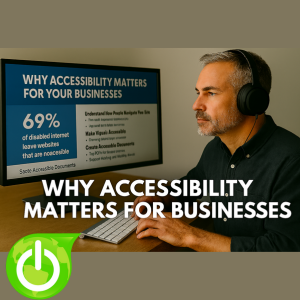
 Have you ever considered how many potential customers leave your website because it isn’t accessible? It’s not just speculation. According to a UK Click-Away Pound survey, 69% of disabled internet users abandon websites that fail to meet accessibility standards. For small and medium-sized businesses, that’s a significantly missed opportunity.
The good news? Making your website and documents accessible isn’t complicated. This guide walks you through practical steps to create an inclusive digital experience for everyone.
Understand How People Navigate Your Site
Just because your website works for you doesn’t mean it works for everyone. Some visitors rely on keyboards instead of a mouse, while others use screen readers or voice commands.
Tip: Test your site with real users who use assistive technologies. Observe how they navigate, where they get stuck, and how they interpret your content. Often, small design tweaks can eliminate big barriers.
Make Visuals Accessible
Visual accessibility is one of the most overlooked areas. Millions of people have visual impairments and depend on tools to interact with digital content. Ensure text contrasts clearly against its background. Aim for a minimum contrast ratio of 4.5:1 for normal text. Use free tools like WebAIM’s Contrast Checker to verify compliance.
Create Accessible Documents
PDFs, Word files, and presentations often contain critical information but many aren’t accessible by default. Make sure to:
- Tag your PDFs with structural elements like headings and tables for screen readers.
- Add alt text for images.
- Test documents before sharing to confirm they’re readable with assistive technology.
Simplify Reading and Reduce Cognitive Load
Accessibility benefits everyone, not just those with cognitive disabilities. Make sure to:
- Use plain language and avoid jargon.
- Break content into short paragraphs with clear subheadings.
- Choose easy-to-read fonts like Arial or Verdana, and keep body text at 14 points or larger. Avoid all caps and italics as they’re harder to read.
Support Hearing and Mobility Needs
Accessibility isn’t just visual, it includes hearing and physical challenges, too. Steps to take for this include:
- Provide captions and transcripts for videos and audio. This helps deaf users and improves SEO.
- Ensure your site is fully navigable with a keyboard. Avoid features that require fine motor skills, like drag-and-drop elements.
Keep Improving with Feedback
Accessibility isn’t a one-time task, it’s ongoing. Action items to consider include:
- Test every update for accessibility.
- Include an accessibility statement on your site and invite feedback.
- Use analytics to spot abandonment patterns as these can help to identify usability or accessibility issues.
Make Accessibility Part of Your Brand
For SMBs, accessibility might feel like another item on the to-do list, but it’s an investment in your reputation. It shows you care about inclusivity and professionalism and helps you avoid legal risks under standards like the Americans with Disabilities Act (ADA).
The best part? Accessibility and great design can co-exist. Thoughtful choices in color, layout, and language create a site that’s both beautiful and inclusive.
Ready to Take Action?
Accessibility isn’t just a technical requirement, it’s about people. It’s about ensuring everyone can read your content, complete forms, and download documents. Every step you take from checking color contrast, adding alt text, tagging PDFs, to testing keyboard navigation, removes barriers and creates positive experiences for those visiting your website. Want expert help? Contact us today to transform your website into an accessible, user-friendly space that works for everyone.